Proposal Launchpad
For the opportunity you’re working to win.
- Agreed concept layouts and presentation.
- Clear assumptions and next-stage decisions.
- Limited drawing extent, scoped up front.
Further project documentation is scoped separately.
LAUNCHPAD by Kolosseum
Professional documentation capability. Without building it in-house.
For electrical contractors and integrators: branded PDF and CAD markups for lighting, power points, switchboards, KNX, Dynalite, C-Bus, AV and automation systems. We do the hard setup. Your team makes the everyday changes.
We break the back of the drawings. You lead the project.
Powered by
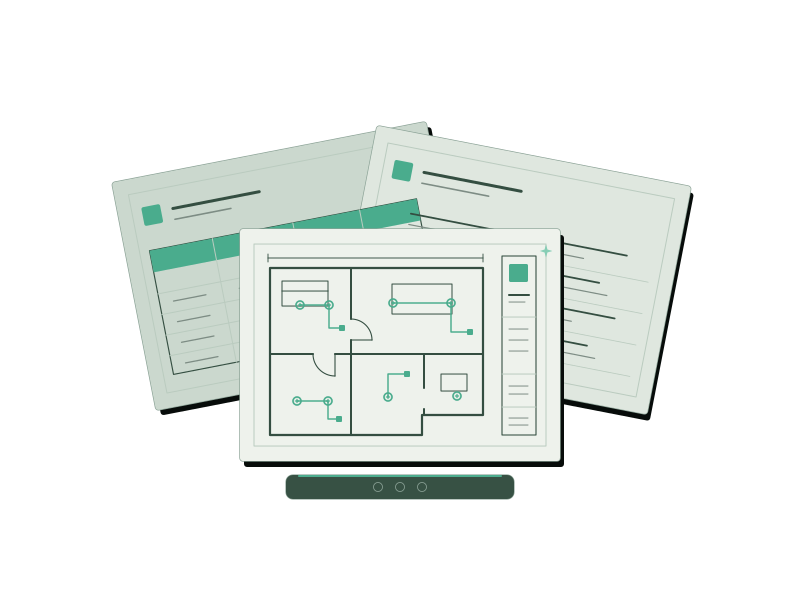
One documentation foundation, under your brand. No internal drawing department to build.
Brief + architectural drawings
Layouts + references + decisions
Your brand. Ready to edit.
Your brand on a consistent drawing set.
Layouts, references and decisions connected.
Your client. Your decisions. Your editable files.
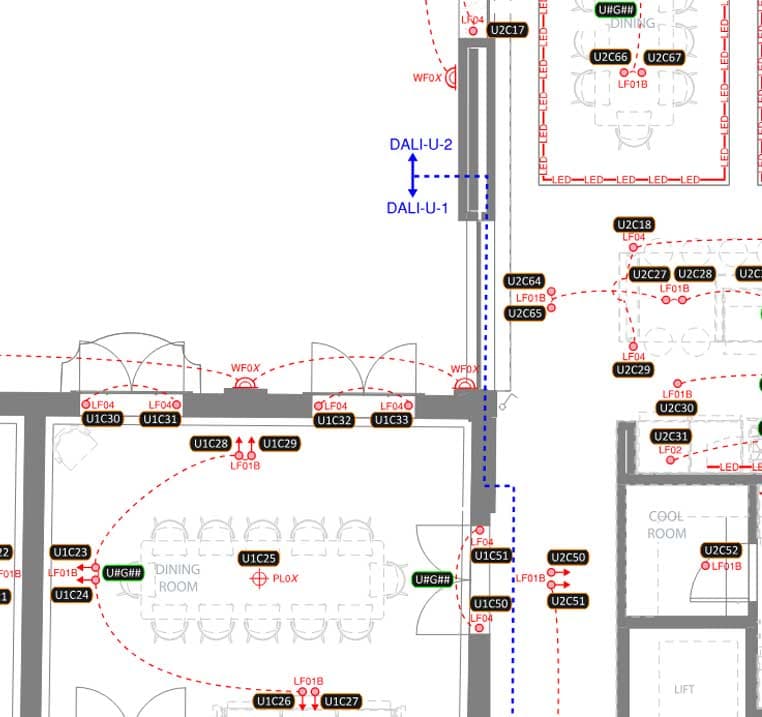
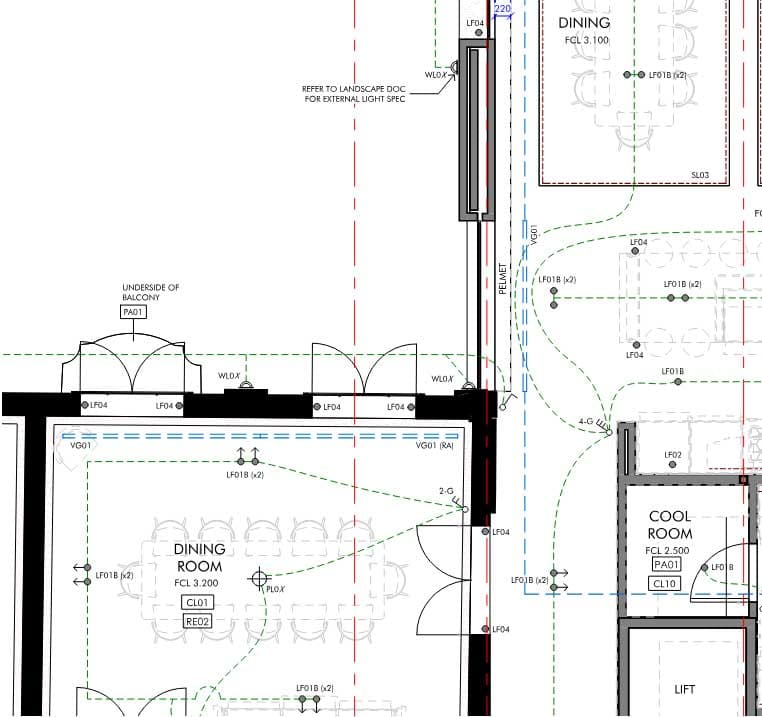
We've been using it for years, and we've introduced thousands of people to it. If you're in construction, you'll need something like it to review, mark up and manage your projects. It's an easy-to-learn PDF markup package.
We take it a little further. We fully author your construction plan sets into presentable documents that communicate like a pro, look like a pro, and let your team operate the same way.
You don't need to know everything. The successful ones surround themselves with people who do... like Kolosseum. So if you know how to copy and paste, and drag a thing from here to there, well... you came to the right place.
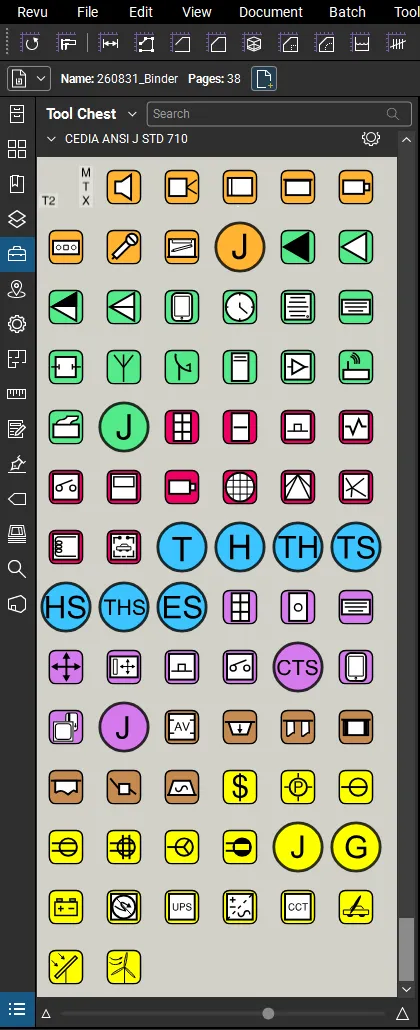
Our tool chest
We built a complete CEDIA ANSI J-710 tool chest of production icons. Vector-sharp, consistent, and instantly recognisable to anyone reading the drawing.
Your client zooms in on the plan and the detail holds. No blur, no pixelation, no guessing what a symbol means. That's the difference between a document that reassures and one that raises questions.
Rack layouts
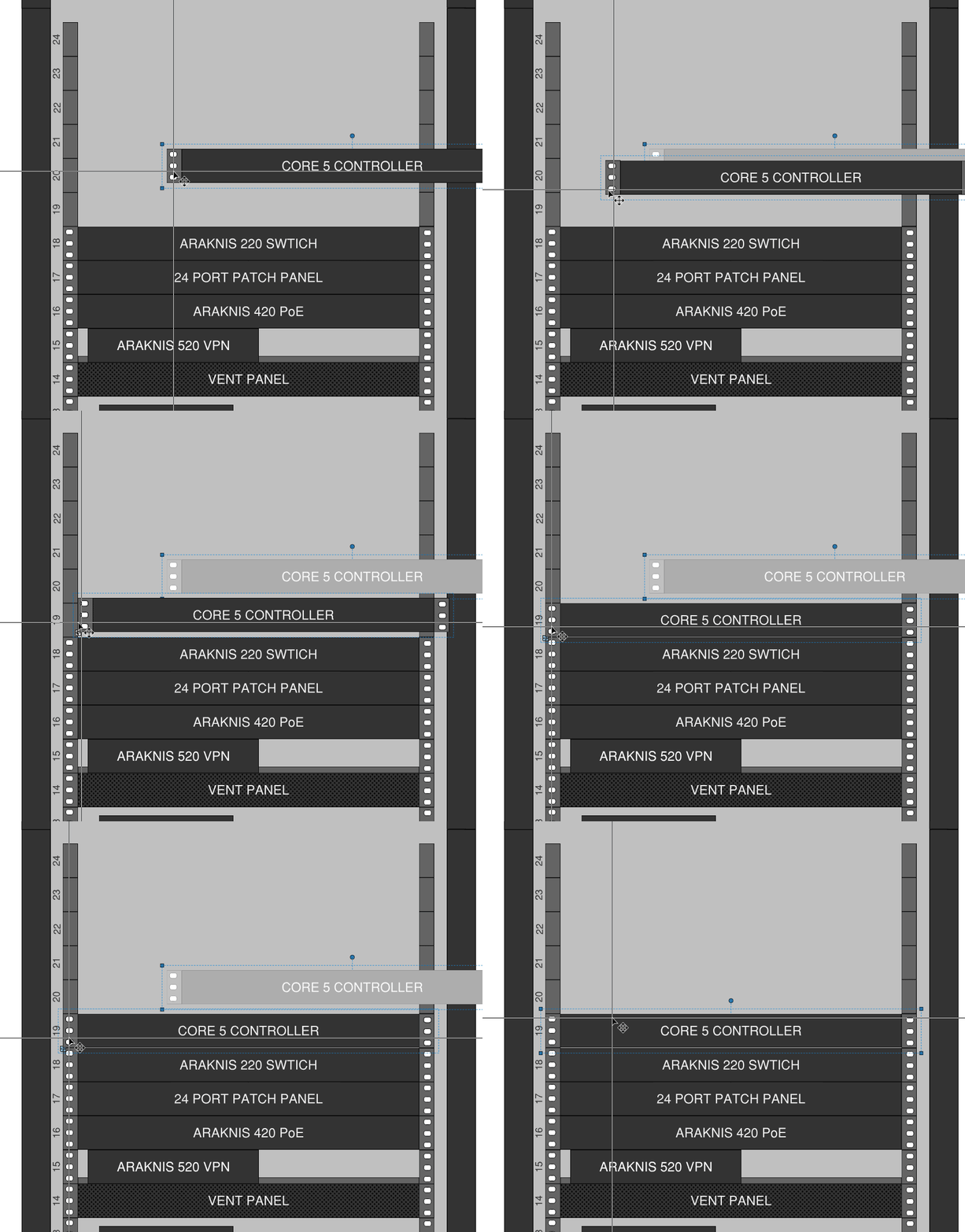
We set up your rack layout templates so a small change never means a phone call, an email, or a wait. Drag a component from here to there. Done.
You stay in control of your own job. When the site throws a curveball, you make the quick change and keep moving, without losing the professional finish we built in.
And when we do it? There's smoke coming off the mouse. Click, move, drag, drop, next... clients who've watched us on a video call just go quiet, then say “how are you doing that so fast?” Simple. We do this all day, every day. That speed becomes your turnaround.
Vector, not raster
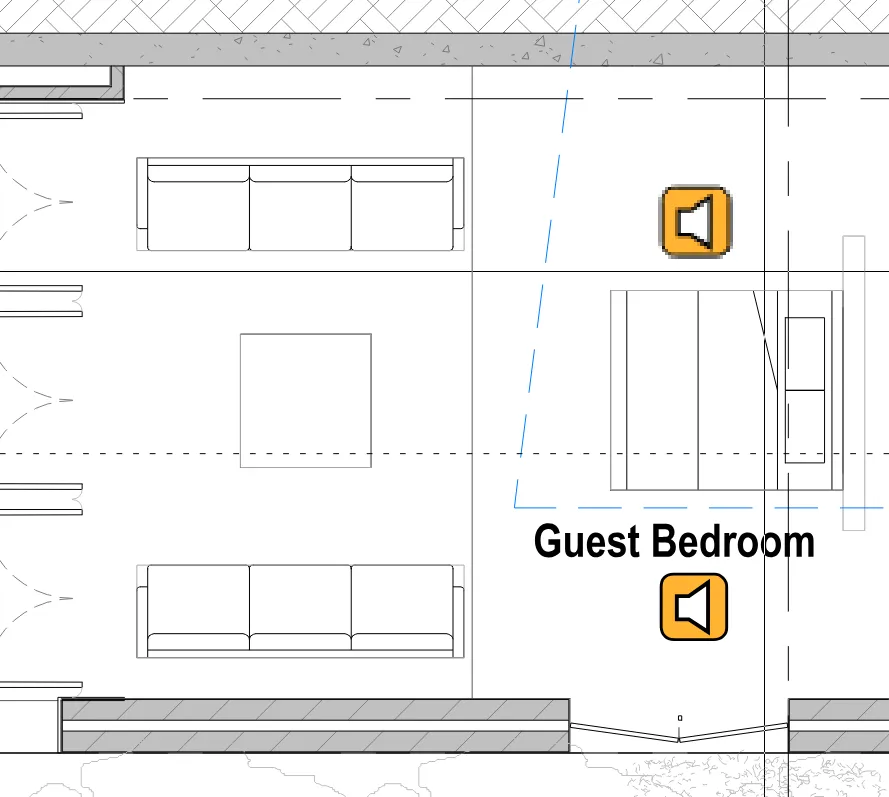
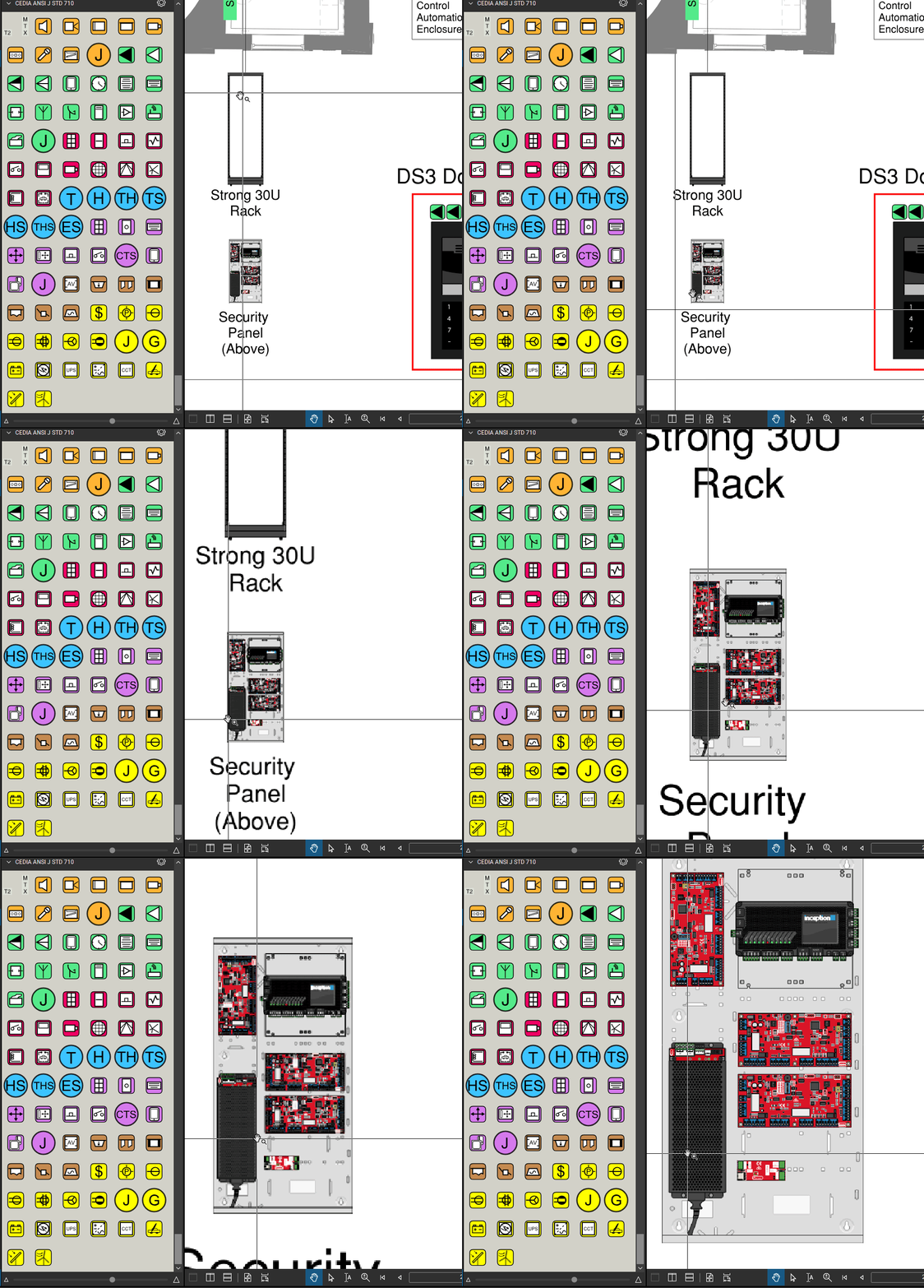
It's your name and your business on the drawing. Spot the difference: two speaker icons, same drawing. One is a flat raster picture that falls apart up close. The other is razor-sharp Kolosseum vector, still crisp when you pan and zoom right into the circuit-board detail.
One organised working package for lighting, power, switchboards, automation and integration systems. Systems, drawing extent and outputs are agreed before work starts.
Your branding takes the stage. Your title block, your legends, your consistent symbols and revision information on the supplied architectural plans. The client sees your name on a professional set. We stay in the background.
Proposed positions for the agreed systems, which may include lighting, switching, power, data, AV, security and automation.
Agreed fixture quantities, proposed lighting groups and initial control requirements, with assumptions and information still to be confirmed clearly identified.
We include a library of switchboard DIN components, so building a board is drag-and-drop right in the markup. Snap in breakers, RCDs, contactors and controls, arrange the rows, and your switchboard layout comes together in minutes, not a redraw. Final ratings, discrimination and compliance stay with the responsible electrical designer.
A practical list of client selections, site checks, product information and trade coordination items still needed to take the project forward.
An editable PDF markup master, a presentation PDF, agreed schedule exports and a guided handover, so your team can continue making everyday markup changes. We confirm the editing workflow against your software before finalising the scope.
Launchpad can prepare PDF and CAD markups for lighting plans, switching, power points, preliminary switchboard layouts, KNX, Dynalite, C-Bus, DALI, AV, data, security and automation systems. The agreed project scope records the systems, proposed layout extent, assumptions and decisions that still need confirmation.
Lighting · switching · power points · switchboards · controls
AV · data · security · automation
Where agreed: proposed distribution-board demarcation with clear zones on the drawings, so you can border-control a whole level or just part of one. It works the same way DALI universes carve out their own demarcation areas, giving each zone a defined boundary you can read at a glance. We also set out preliminary DALI lines and groups, device naming and control intent. Assumptions, selections and outstanding checks remain recorded for the project team.
For review and coordination. Construction issue, certification and specialist engineering require an expressly agreed scope.
Plans, brief and known selections.
Systems, outputs, timing and fixed fee.
One consolidated round of feedback.
Working files and a guided handover.
New plans, systems or selections may change the scope. We agree additional work before proceeding.
Move a proposed light, adjust a power point, update a switchboard reference or add a coordination note directly in the editable PDF markup set. We confirm your Revu workflow and guide you through the handover.
Move · annotate · update
Share · review · coordinate
Reference · check · confirm
Bluebeam licences are separate. Launchpad is a Kolosseum service, not a Bluebeam-endorsed product.
Every project is different, so every Launchpad is tailored to it. These two are the usual starting points. We shape the scope, systems and outputs around what you actually need.
Fixed fee. Agreed scope. Built around you. Your quote reflects the systems, drawing extent and information available. Further revisions and detailing can be scoped separately.
| Kolosseum prepares | Your project team confirms |
|---|---|
| Drawing structure, legends and agreed initial layouts | Final positions, selections and site conditions |
| Preliminary schedules and documented assumptions | Final equipment, loads, drivers and control compatibility |
| A register of outstanding decisions | Client approvals and trade coordination |
| Agreed files and handover guidance | Subsequent approvals and release for the intended use |
Client meetings, procurement, programming, installation and project management stay with your team unless separately agreed.
Yes. Launchpad prepares editable PDF markups for electrical contractors and integrators, including lighting, switching, power points, switchboards, AV, data, security and automation layouts. The standard package is for review and coordination; final verification, selections, approvals and issue purpose remain with the relevant project team.
We can work from native PDF plans and supplied CAD files, including DWG files. We simplify the supplied drawing background and prepare organised PDF markups for the agreed systems, so the client, builder and project team can read the proposed layout, references, assumptions and outstanding decisions clearly.
Where agreed, Launchpad can record proposed device locations, preliminary control groups, naming and control intent for KNX, Dynalite, C-Bus and other lighting-control systems. Final equipment, loads, drivers, programming, compatibility and approvals remain the responsibility of the relevant project team.
Yes. The agreed scope can include lighting and switching layouts, power point locations, preliminary schedules, control groups and switchboard layouts. Launchpad may include editable DIN component layouts for review, but final ratings, discrimination, compliance and construction issue require the responsible electrical designer.
Yes. Your name takes the stage. We agree your branding and drawing conventions as part of the setup, and the required issue information and authorship records stay accurate.
Not to view the work. You can open the presentation PDF in any suitable PDF viewer. If you want to keep editing the working markup set yourself, we confirm the workflow and required software features with you before handover. Bluebeam licences are separate.
Yes. The agreed editable markup master lets your team adjust proposed positions, add notes and update references in Bluebeam Revu. We confirm the required software features during scoping and guide you through the files at handover. Changes affecting loads, equipment or control compatibility still need the relevant project checks and approvals; the working file does not replace those decisions.
The standard Launchpad package is prepared for review and coordination. The agreed proposal identifies what must be verified or approved before another issue purpose. Construction documentation, certification and specialist engineering require an expressly agreed scope.
Not necessarily. Final requirements depend on the control method, selected fixtures and drivers, load information and equipment limits. The package records preliminary intent and the confirmations still required.
The current architectural plans, project brief, known selections, nominated systems and existing markups. We also need your branding and one person authorised to consolidate instructions and feedback.
One consolidated review against the agreed brief is included in Project Launchpad. New plan revisions, additional systems and changed selections may need a separate allowance. Corrections to our own errors remain our responsibility.
Yes. The editable markup master lets your team update proposed positions, add notes and revise references in the agreed workflow. We guide the handover and confirm the required software features. Changes affecting loads, equipment or control compatibility still need the relevant project checks and approvals.
Yes. Proposal Launchpad provides a paid, limited package for that stage. If the project proceeds, we scope the additional work and carry forward the parts that remain applicable.
We confirm timing after reviewing the drawing extent, available information and current capacity. Tell us about your next meeting or project deadline when you enquire.
You remain the project lead. We agree communication arrangements with you. Direct client or stakeholder involvement is included only where agreed.
Your brand. Our expertise. A working set your team can take forward.
We break the back of the drawings. You lead the project.
Use our enquiry form to request a Launchpad proposal. Include your business name, role, project stage, a short scope and any required timing in your message.
JotForm
The enquiry form, hosted by JotForm. Loading it connects to JotForm, which may receive device data and use cookies.
No link ready? Send the enquiry and we can arrange how to share the plans.
Your enquiry helps us establish the scope. Work starts after you accept the proposal. Read our privacy notice.
Begin a Conversation on our contact page